
20+ Best Customer Success Tools and Software Platforms for 2026
Table of Contents
Introduction
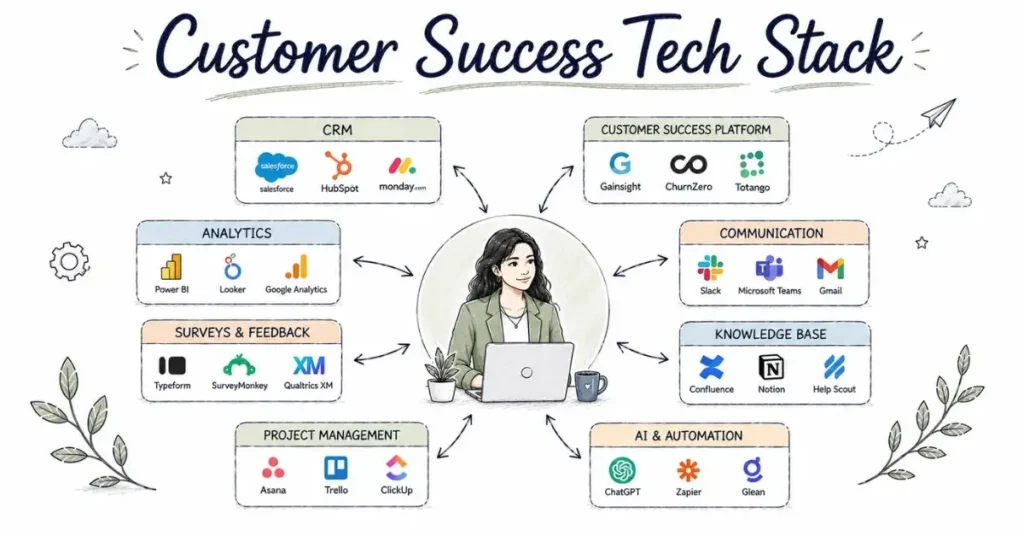
When Rohan joined his first Customer Success role at a Bangalore startup last year, he expected to spend his days talking to customers and building relationships. Instead, his first week was overwhelming: “Learn Salesforce by Wednesday. We use Gainsight for health scoring watch these tutorials. Communication happens through Intercom and Slack. Reports go into this Google Sheet linked to this Tableau dashboard. Oh, and we track everything in Monday.com.”
He spent more time navigating software than actually engaging with customers.
Welcome to modern Customer Success, where technology is both enabler and challenge.
Here’s the reality: Customer Success has evolved from a relationship-management role into a technology-enabled function. Today’s CS professionals spend 4-6 hours daily using various software platforms CRMs, Customer Success platforms, communication tools, analytics systems, collaboration software, and more.
This can feel intimidating, especially for newcomers. The good news? You don’t need to master every tool before getting hired. Companies train you on their specific stack. What matters is understanding what these tools do, why they’re necessary, and demonstrating willingness to learn them quickly.
This comprehensive guide walks through 20+ essential tools in the Customer Success tech stack, organized by category. I’ll explain what each tool does, why it matters, which companies use it, approximate costs, and how to gain familiarity before employment.
Understanding the Customer Success Tech Stack
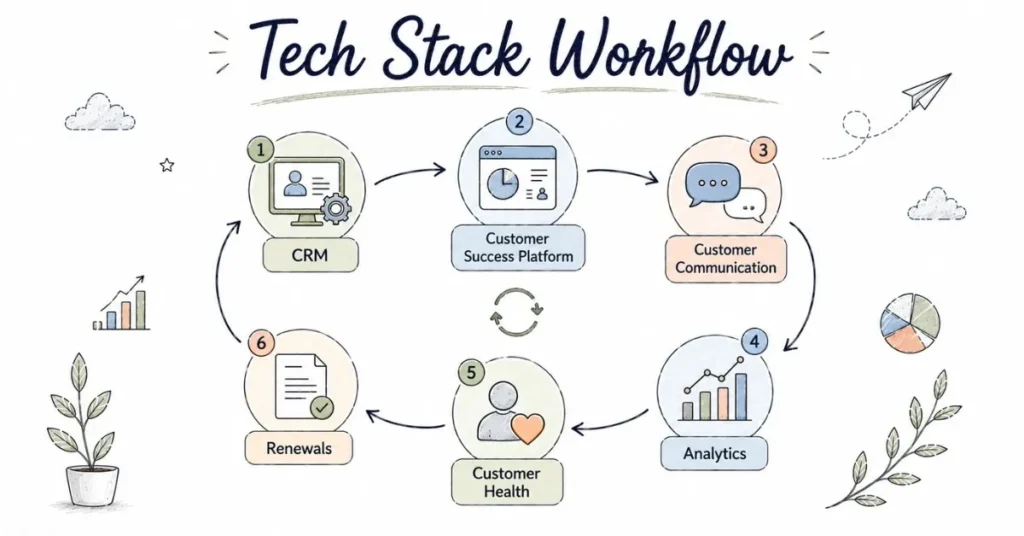
Modern CS teams use multiple tools serving different purposes. Here’s the typical architecture:
Core System: CRM (Customer Relationship Management)
The foundational database storing all customer information, interactions, and history.
Intelligence Layer: Customer Success Platform
Advanced analytics, health scoring, automation, and predictive insights built on top of CRM data.
Communication Tools: Email, Chat, Video
How you actually interact with customers day-to-day.
Analytics Tools: Data and Reporting
Analyzing customer behavior, usage patterns, and metrics.
Productivity Tools: Collaboration and Project Management
Internal coordination and task management.
Support Tools: Ticketing and Knowledge Base
Where customers get help and find answers.
Survey Tools: Feedback Collection
Gathering customer sentiment and satisfaction data.
Let’s dive into each category.
Category 1: CRM Platforms (Your Central Nervous System)
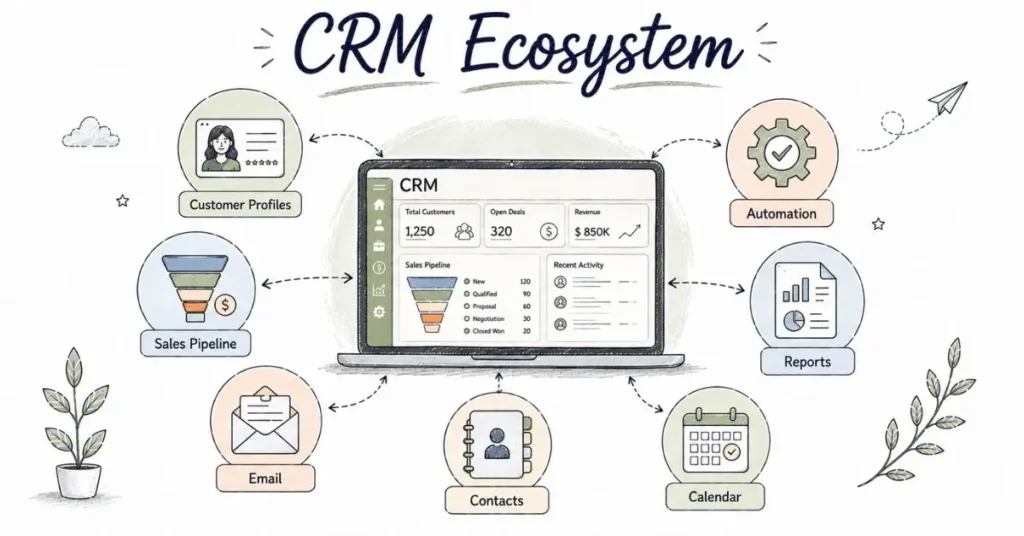
CRM is the heart of your CS tech stack. Everything else connects to it.
1. Salesforce
What It Is:
The global leader in CRM, used by over 150,000 companies worldwide, including many large enterprises.
Why CS Teams Use It:
- Centralized customer data (contact info, company details, interaction history)
- Customizable to track CS-specific information
- Powerful reporting and dashboard capabilities
- Extensive integration ecosystem (connects with almost anything)
- Industry standard in enterprise companies
Key Features for CS:
- Account and contact management
- Opportunity tracking (for expansions/renewals)
- Case management
- Custom objects (health scores, success plans)
- Automated workflows
- Reports and dashboards
- Mobile app
Who Uses It:
Enterprise companies and growing scale-ups. If you’re targeting roles at established companies, Salesforce familiarity is valuable.
Cost:
- $25-300+ per user/month depending on edition
- Large enterprise deployments
- Companies provide access to employees
How to Learn It:
- Salesforce Trailhead (completely free, gamified learning)
- Sign up for developer account (free) to practice
- YouTube tutorials
- Free certifications available through Trailhead
Indian Adoption:
Widely used in Indian offices of global companies and larger Indian SaaS companies (Freshworks, Chargebee, etc.).
2. HubSpot CRM
What It Is:
User-friendly, modern CRM popular with startups and SMBs, offering free tier with powerful paid upgrades.
Why CS Teams Use It:
- Extremely intuitive interface (minimal learning curve)
- Integrated with marketing and sales tools
- Free tier attractive for small teams
- Strong email integration and tracking
- Built-in communication tools
Key Features for CS:
- Contact and company management
- Deal pipeline (renewals, expansions)
- Email templates and tracking
- Meeting scheduling
- Conversation inbox
- Custom properties and fields
- Reporting dashboards
Who Uses It:
Startups, SMBs, marketing-focused companies. Very popular in Indian startup ecosystem.
Cost:
- Free tier (basic features, unlimited users)
- Paid tiers: $45-1,200/month
- Service Hub (CS-focused): $45-1,200/month
How to Learn It:
- Sign up for free HubSpot CRM (actually free forever, not trial)
- HubSpot Academy free courses
- Very intuitive can learn by exploring
Indian Adoption:
Extremely popular among Indian startups and SMBs due to free tier and ease of use.
3. Zoho CRM
What It Is:
Comprehensive CRM from Indian company Zoho, popular globally but especially in India.
Why CS Teams Use It:
- Cost-effective compared to Salesforce
- Strong feature set at lower price point
- Indian company (good support for Indian businesses)
- Integrates with entire Zoho ecosystem
Key Features for CS:
- Complete customer database
- Workflow automation
- Analytics and reporting
- Customization capabilities
- Mobile app
- AI assistant (Zia)
Who Uses It:
Indian SMBs, cost-conscious companies, organizations using broader Zoho ecosystem.
Cost:
- Free tier (up to 3 users)
- Paid: ₹800-2,600/user/month
- Significantly cheaper than Salesforce for comparable features
How to Learn It:
- Free tier for personal practice
- Zoho Learn (free learning resources)
- Similar concepts to other CRMs (transferable skills)
Indian Adoption:
Very high adoption in Indian market across SMBs and mid-market companies.
4. Freshsales (by Freshworks)
What It Is:
Modern CRM from Indian unicorn Freshworks, designed for speed and simplicity.
Why CS Teams Use It:
- Clean, fast interface
- Built-in phone and email
- AI-powered insights
- Strong for sales-CS collaboration
Who Uses It:
Growing Indian companies, organizations using Freshworks ecosystem.
Cost:
- Free tier available
- Paid: ₹1,000-6,000/user/month
How to Learn It:
- Free trial
- Freshworks Academy
- User-friendly learning curve
Indian Adoption:
Strong and growing, especially among Indian companies proud to use Indian-built software.
Category 2: Dedicated Customer Success Platforms
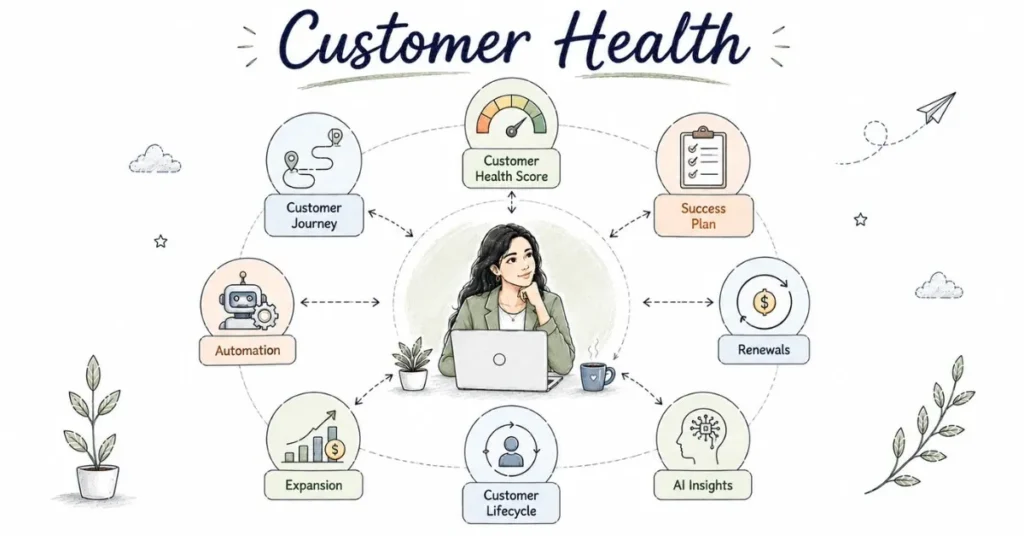
These specialized platforms go beyond CRM, offering CS-specific functionality like health scoring, playbooks, and predictive analytics.
5. Gainsight
What It Is:
The category-defining Customer Success platform, used by leading SaaS companies globally.
Why CS Teams Use It:
- Industry standard for enterprise CS
- Sophisticated health scoring
- Automated playbooks and workflows
- Journey orchestration
- 360-degree customer view
- Predictive analytics and AI
Key Features:
- Customer health scoring
- Success plans
- Timeline (all customer interactions in one place)
- Automated emails and outreach
- Surveys (NPS, CSAT)
- Reporting and analytics
- C360 (complete customer view)
Who Uses It:
Enterprise SaaS companies, especially those with large CS teams (50+ people).
Cost:
- Enterprise pricing (custom quotes)
- Typically $50,000-500,000+ annually depending on size
- Individual licenses not sold (company purchases)
How to Learn It:
- Gainsight Community (free resources)
- Gainsight University courses (some free, some paid)
- Watch demo videos
- If employed at company using Gainsight, formal training provided
Indian Adoption:
Used by larger Indian SaaS companies and Indian offices of global SaaS firms (Freshworks, Postman, etc.).
6. Totango
What It Is:
Customer Success platform competing with Gainsight, focusing on simplicity and faster implementation.
Why CS Teams Use It:
- Easier to implement than Gainsight
- Pre-built templates and campaigns
- Good for mid-market companies
- Strong segmentation capabilities
Key Features:
- Health scoring
- Segmentation and campaigns
- Automated outreach
- Task management
- Integration capabilities
Who Uses It:
Mid-market SaaS companies (50-500 employees).
Cost:
- Pricing not publicly listed
- Generally less expensive than Gainsight
- Mid-market positioning
How to Learn It:
- Totango website resources
- Demo videos
- Similar concepts to other CS platforms
Indian Adoption:
Growing adoption among mid-market Indian SaaS companies.
7. ChurnZero
What It Is:
CS platform specifically focused on reducing churn through real-time customer engagement.
Why CS Teams Use It:
- Real-time user tracking
- In-app messaging
- Journey-based automation
- Strong for product-led growth companies
Key Features:
- Real-time usage tracking
- ChurnScores (health scoring)
- Automated plays
- In-app communication
- NPS surveys
- Reporting
Who Uses It:
Product-led SaaS companies focused heavily on in-app engagement.
Cost:
- Custom pricing
- Mid-market price point
How to Learn It:
- ChurnZero resources and blog
- Demo videos
- Webinars
Indian Adoption:
Used by some Indian product-led SaaS companies, growing awareness.
8. Catalyst (formerly ClientSuccess)
What It Is:
Customer Success platform focused on B2B SaaS, emphasizing workflows and automation.
Why CS Teams Use It:
- Workflow-focused approach
- Good integration capabilities
- Mid-market friendly pricing
Who Uses It:
B2B SaaS companies, especially mid-market.
Cost:
- More accessible than Gainsight
- Custom pricing
Indian Adoption:
Limited but growing presence in Indian market.
Practical Note on CS Platforms:
You won’t use these tools before employment they’re expensive enterprise software. What matters is:
- Understanding what CS platforms do conceptually
- Familiarity with concepts (health scoring, playbooks, customer journeys)
- Demonstrating ability to learn complex software quickly
Companies using these platforms provide extensive training. Don’t let unfamiliarity with specific platforms intimidate you from applying.
Category 3: Communication Tools
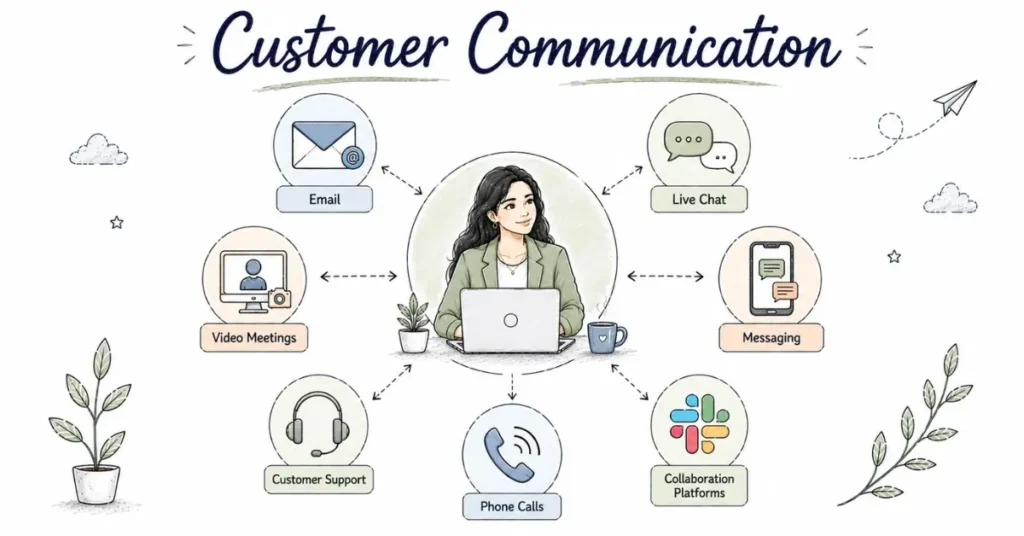
How you actually interact with customers daily.
9. Intercom
What It Is:
Customer messaging platform combining live chat, email, and in-app messaging.
Why CS Teams Use It:
- Unified inbox for all customer communication
- In-app messaging (reach customers while they’re using product)
- Automated messages and bots
- Customer segmentation
Key Features:
- Live chat
- Email campaigns
- In-app messages
- Bots and automation
- Customer data platform
Who Uses It:
Product-led SaaS companies, especially those with self-service models.
Cost:
- Starts $74/month, scales with usage
- Can become expensive at scale
Indian Adoption:
Popular among Indian SaaS startups.
10. Zendesk
What It Is:
Originally support ticketing system, now comprehensive customer service platform.
Why CS Teams Use It:
- Integration of support and success data
- Complete customer conversation history
- Widely used (you’ll encounter it frequently)
Who Uses It:
Companies with significant support volume, especially those integrating support and success functions.
Cost:
- $19-115/agent/month depending on tier
Indian Adoption:
Very high adoption across Indian companies of all sizes.
11. Zoom / Google Meet / Microsoft Teams
What They Are:
Video conferencing platforms for customer calls, QBRs, training sessions.
Why CS Teams Use Them:
- Virtual face-to-face interaction
- Screen sharing for demonstrations
- Recording capabilities
- Scheduling integrations
Key for CS:
- All CS professionals must be comfortable conducting professional video calls
- Screen sharing while talking
- Managing virtual meetings effectively
Cost:
- Free tiers available
- Paid: $100-200/year per user
Indian Adoption:
Universal. Zoom and Google Meet most common in startups, Teams in enterprises.
12. Slack / Microsoft Teams
What They Are:
Team collaboration platforms used for internal communication and increasingly for customer communities.
Why CS Teams Use Them:
- Quick internal coordination
- Customer communities and shared channels
- Integration hub (many tools post to Slack)
Key for CS:
- Efficient communication
- Managing multiple channels
- Professional yet personable communication
Indian Adoption:
Slack dominant in startups, Teams in enterprises.
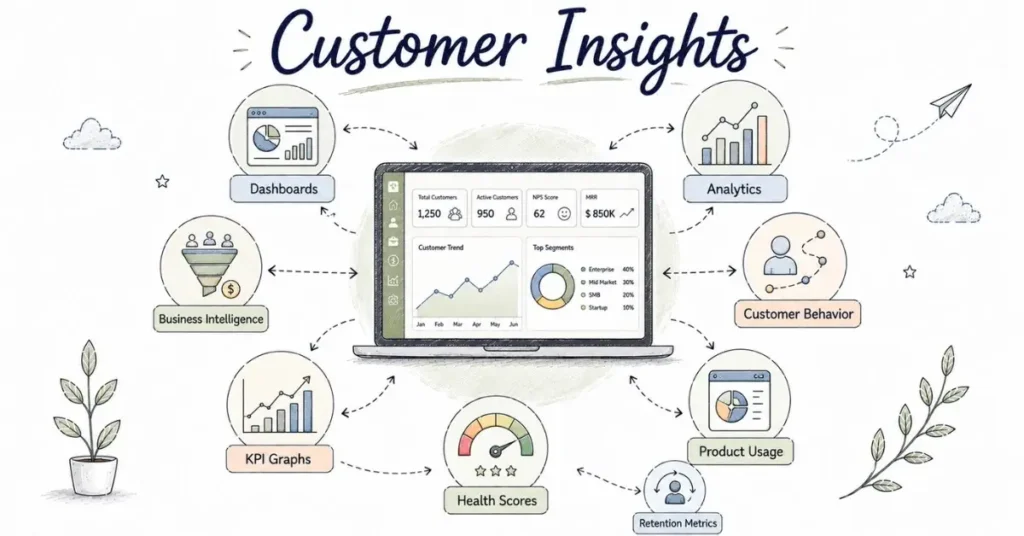
Category 4: Analytics and Data Tools
Understanding customer behavior and measuring success.[
13. Mixpanel / Amplitude
What They Are:
Product analytics platforms tracking user behavior and product usage.
Why CS Teams Use Them:
- Understanding exactly how customers use the product
- Identifying adoption patterns
- Spotting feature usage (or lack thereof)
- Correlating behavior with retention
Key Features:
- Event tracking
- Funnel analysis
- Cohort analysis
- Retention analysis
Who Uses Them:
Product-led SaaS companies.
Cost:
- Free tiers available
- Paid scales with usage
How to Learn:
- Free tier for experimentation
- Both offer free courses and certifications
Indian Adoption:
Growing, especially among product-focused startups.
14. Tableau / Looker / Power BI
What They Are:
Business intelligence and data visualization platforms.
Why CS Teams Use Them:
- Creating customer health dashboards
- Visualizing trends and patterns
- Executive reporting
- Combining data from multiple sources
Who Uses Them:
Larger companies with mature data practices.
Cost:
- Power BI: $10-20/user/month (most accessible)
- Tableau: $15-70/user/month
- Looker: Enterprise pricing
How to Learn:
- Power BI has free tier (best starting point)
- YouTube tutorials abundant
- Practice with personal projects
Indian Adoption:
Power BI most common, Tableau in larger companies.
15. Google Analytics
What It Is:
Website and web app analytics platform.
Why CS Teams Use It:
- Understanding customer behavior on your website/app
- Tracking conversion and engagement
- Free and powerful
How to Learn:
- Free Google Analytics certification
- Extremely valuable skill across roles.
Indian Adoption:
Universal.
Category 5: Survey and Feedback Tools
Gathering voice of customer.
16. SurveyMonkey / Typeform / Google Forms
What They Are:
Survey platforms for collecting customer feedback.
Why CS Teams Use Them:
- NPS surveys
- CSAT surveys
- Feature feedback
- QBR preparation surveys
Key Difference:
- Google Forms: Free, basic, functional
- SurveyMonkey: Professional, feature-rich
- Typeform: Beautiful, engaging, conversation-like
Indian Adoption:
Google Forms dominant due to being free, Typeform growing for customer-facing surveys.
17. Qualtrics
What It Is:
Enterprise experience management platform for sophisticated surveys and analysis.
Why CS Teams Use It:
- Advanced survey logic
- Sophisticated analysis
- Enterprise-grade
Who Uses It:
Large enterprises with mature CX programs.
Cost:
- Enterprise pricing (expensive)
Indian Adoption:
Limited to large enterprises.
Category 6: Knowledge Base and Education
Helping customers help themselves.
18. Notion / Confluence / Guru
What They Are:
Documentation and knowledge management platforms.
Why CS Teams Use Them:
- Creating help documentation
- Internal CS playbooks
- Customer-facing resource libraries
- Process documentation
Who Uses Them:
- Notion: Startups, modern companies
- Confluence: Enterprises (part of Atlassian suite)
- Guru: Companies focusing on knowledge management
Indian Adoption:
Notion exploding in popularity, Confluence in established companies.
19. Loom
What It Is:
Video messaging tool for creating quick screen recordings.
Why CS Teams Use It:
- Explaining features visually
- Personalized video messages
- Training content creation
- Asynchronous communication
Why It’s Valuable:
Sometimes a 2-minute video explains better than a 10-paragraph email.
Cost:
- Free tier (limited)
- Paid: $8/creator/month
Indian Adoption:
Rapidly growing, especially in remote teams.
Category 7: Project Management and Productivity
Staying organized.
20. Asana / Monday.com / Trello
What They Are:
Project and task management platforms.
Why CS Teams Use Them:
- Tracking customer projects (implementations, onboardings)
- Personal task management
- Team collaboration
- Process visualization
Key Differences:
- Trello: Simple, visual (Kanban boards)
- Asana: Powerful, flexible, best overall
- Monday.com: Visual, customizable
Indian Adoption:
All three used, Trello most accessible for beginners.
21. Calendly / Google Calendar
What They Are:
Scheduling tools for booking customer calls.
Why CS Teams Use Them:
- Eliminate scheduling back-and-forth
- Professional booking experience
- Integration with video conferencing
Indian Adoption:
Universal necessity.
Building Your Tool Proficiency: Practical Action Plan
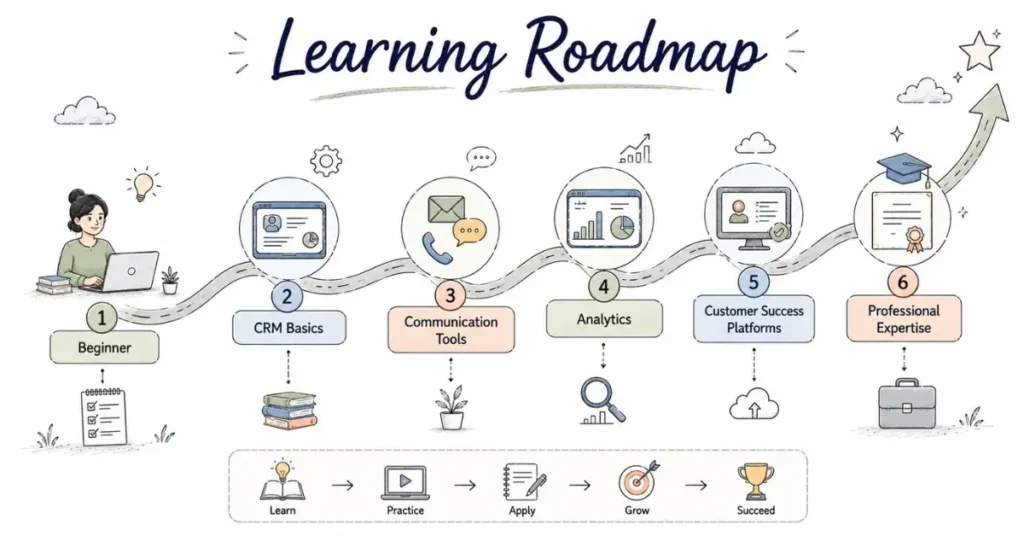
Feeling overwhelmed by the number of tools? Here’s how to approach learning them strategically:
Before Your First CS Job:
Priority 1: CRM Basics
- Choose one CRM (recommend HubSpot due to free tier)
- Spend 2-3 hours exploring: add contacts, create deals, update records, run simple report
- Complete HubSpot Academy CRM course (free, 2 hours)
- Goal: Understand CRM concepts, not master specific tool
Priority 2: Communication Tools
- Practice professional video calls (with friends if necessary)
- Learn screen sharing while talking
- Get comfortable with Zoom/Google Meet basics
- Goal: Appear confident on video calls during interviews
Priority 3: Basic Data Analysis
- Strengthen Excel/Google Sheets skills
- Learn pivot tables (YouTube tutorials)
- Practice creating simple charts
- Goal: Comfort with numbers and basic analysis
Priority 4: Understanding, Not Using
- Watch demo videos of Gainsight, Totango, Intercom
- Read articles about CS platforms
- Understand what they do conceptually
- Goal: Speak intelligently about these tools in interviews, even without hands-on experience
Total Time Investment: 15-20 hours spread over 2-3 weeks. Manageable while job searching.
During Your First CS Job:
First Month:
- Master your company’s specific CRM (they’ll train you)
- Learn customer communication tools (Intercom, Zendesk, etc.)
- Understand where to find information you need
Months 2-6:
- Deepen proficiency in tools you use daily
- Ask for access to analytics tools, explore on your own
- Take any company-provided training
- Learn keyboard shortcuts and efficiency tricks
Months 6-12:
- Pursue certifications in tools you use (Salesforce Admin, Gainsight Essentials)
- Become the team expert in 1-2 tools
- Help train new team members
Mid-Career Development:
After 2-3 years, specialize based on career direction:
Relationship-Focused Path:
Deepen communication and presentation tools, master video engagement, customer-facing platforms
Analytical Path:
Advanced Excel/SQL, business intelligence tools (Tableau, Power BI), data analysis certifications
Operations Path:
Deep expertise in CS platforms, automation capabilities, integration tools, process design
Technical CS Path:
Product analytics (Mixpanel, Amplitude), technical documentation tools, basic coding/API understanding
Tool Proficiency in Job Applications
On Your Resume:
Good:
“Proficient in Salesforce (2 years), HubSpot CRM, Gainsight, Intercom, and Google Analytics”
Better:
“Managed 25 customer accounts using Salesforce, utilizing custom reports and dashboards to track health scores and renewal likelihood, achieving 95% retention rate”
See the difference? The second shows what you accomplished using tools, not just that you used them.
In Interviews:
When Asked: “Do you know [Tool]?”
If No Experience:
“I haven’t used [Tool] specifically, but I’m experienced with similar platforms like [similar tool]. I understand [Tool] is used for [purpose], and I’m confident I can learn it quickly. For example, I mastered [other tool] in two weeks at my previous role.”
Never Say: “No” and stop there. Always demonstrate learning ability and conceptual understanding.
The Most Important "Tool": Your Brain
Here’s what experienced CS leaders know: tools change constantly.
Five years ago, most CS teams didn’t use dedicated CS platforms. They managed everything in CRM and spreadsheets. Now CS platforms are standard. Five years from now, AI will transform these tools dramatically.
What doesn’t change:
- Customer empathy
- Communication skills
- Problem-solving ability
- Strategic thinking
- Relationship building
These human skills matter infinitely more than knowing specific tools. Tools amplify your effectiveness, but they can’t replace fundamental CS capabilities.
Companies hire people who can think and relate to customers. They train those people on tools. No company expects you to arrive knowing their exact tech stack. They expect you to learn quickly and apply sound judgment.
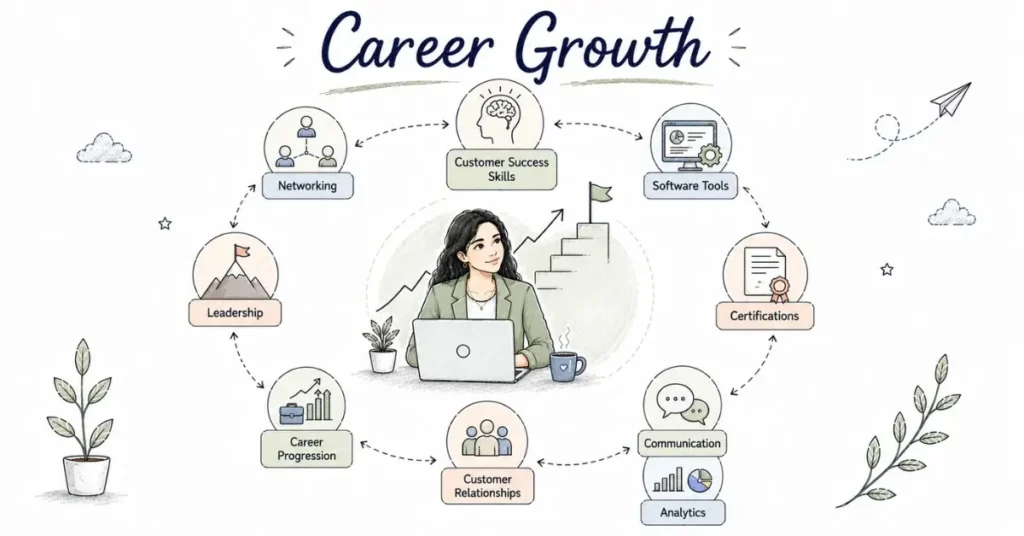
Conclusion: Tools Are Means, Not Ends
Yes, modern Customer Success is technology-enabled. Yes, you’ll use 10-15 different tools regularly. Yes, proficiency matters.
But don’t let tool anxiety prevent you from pursuing CS careers. Focus on:
- Understanding categories – What kinds of tools exist and why
- Learning one example in each category (usually free options available)
- Demonstrating learning agility – Showing you can master new tools quickly
- Developing core CS skills – The human capabilities tools can’t replace
The right approach? Spend 20% of your preparation time familiarizing yourself with tools, 80% developing fundamental CS skills (communication, empathy, problem-solving, business acumen).
Tools are powerful enablers for great Customer Success professionals. But they’re just that enablers. Master the fundamentals. The tools will follow.