
Social Media Analytics: Track Performance, Optimize Content & Prove ROI
Table of Contents
Introduction: Why Data Beats Guesswork
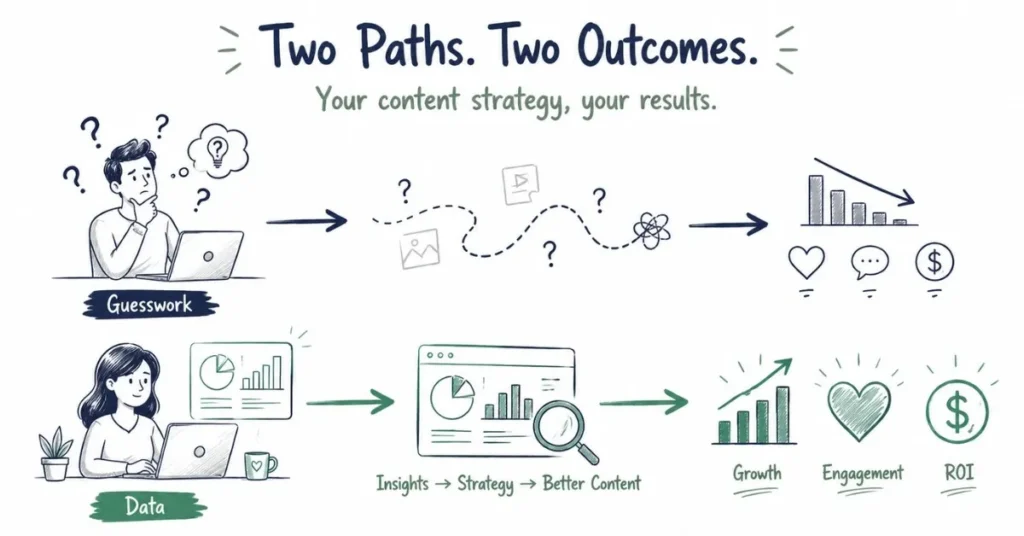
The difference between amateur social media management and professional practice often comes down to one word: analytics. Amateurs post content based on intuition, hoping it performs well. Professionals systematically track performance, identify patterns in what works and what doesn’t, make data-informed decisions about future content, and demonstrate clear ROI connecting social media efforts to business results.
Analytics might sound intimidating if you’re not naturally numbers-oriented, but here’s the truth you don’t need advanced statistics or data science degrees to use social media analytics effectively. You need to understand which metrics matter for your specific goals, know where to find that data on each platform, develop the habit of regularly reviewing performance, and most importantly, translate data insights into actionable changes improving your results.
Whether you’re a content creator wanting to understand which content resonates with your audience, a social media manager needing to prove value to clients or employers, or a marketing professional optimizing campaigns for better ROI, analytics provides the compass guiding your efforts. This comprehensive guide demystifies social media analytics, explaining what metrics actually matter (and which are vanity metrics you can ignore), how to access analytics on each major platform, frameworks for analyzing performance and identifying insights, reporting best practices for stakeholders, and most critically, how to translate data into actions that improve your results.
Understanding Metrics: What Actually Matters
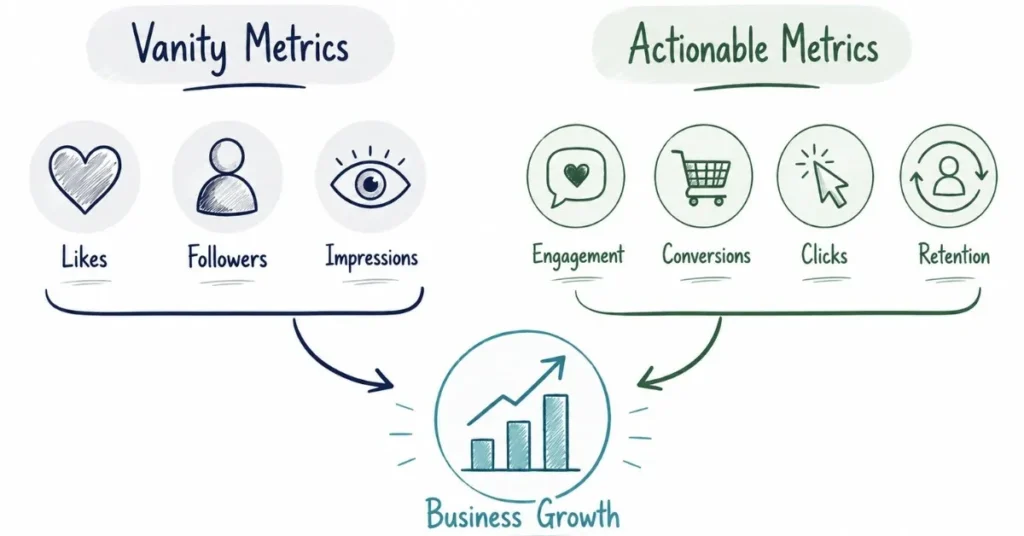
Not all metrics are created equal. Many beginners obsess over vanity metrics that feel good but don’t actually indicate success, while ignoring metrics that truly matter.
Vanity Metrics vs. Actionable Metrics
Vanity metrics look impressive but don’t necessarily indicate meaningful progress toward your goals. These include total follower/subscriber count (large audiences mean nothing if they’re not engaged), absolute like counts (without context of reach or followers), impressions (seeing your content doesn’t mean people engaged with it), or profile visits (unless they lead to actions like follows or clicks).
Actionable metrics directly indicate whether you’re progressing toward specific goals. These include engagement rate (percentage of people who interact with content), audience growth rate (how quickly you’re gaining followers), reach and frequency (how many unique people see content and how often), click-through rate (CTR) measuring link clicks, conversion rate tracking specific actions like purchases or sign-ups, watch time and retention for video content, and follower demographics showing whether you’re reaching the right audiences.
Metrics by Objective
Choose metrics based on your specific goals:
For Audience Growth: Track follower/subscriber growth rate week-over-week or month-over-month, content reach showing how many new people see your content, profile visits from content, and follower demographics confirming you’re attracting the right audience.
For Engagement: Monitor engagement rate (total engagements divided by followers or reach), comment quantity and quality (meaningful conversations vs. emoji spam), content saves (particularly important on Instagram), shares indicating people find content valuable enough to recommend, and story interactions like polls, questions, or sticker responses.
For Traffic and Conversions: Track click-through rate on links in bios or posts, website visits from social referrals (via Google Analytics), conversion rate of social traffic to leads or sales, cost per click or cost per acquisition for paid campaigns, and attribution of revenue to specific social channels or campaigns.
For Brand Awareness: Measure reach and impressions, share of voice (your brand mentions relative to competitors), brand mention sentiment (positive, neutral, negative), branded search volume increases, and survey-based brand recall and awareness.
For Video Content: Analyze average view duration and completion rate, audience retention graphs showing when people drop off, click-through rate on video thumbnails, subscriber conversion rate from video views, and traffic sources showing how people discover videos.
Platform-Specific Analytics: Where to Find Your Data
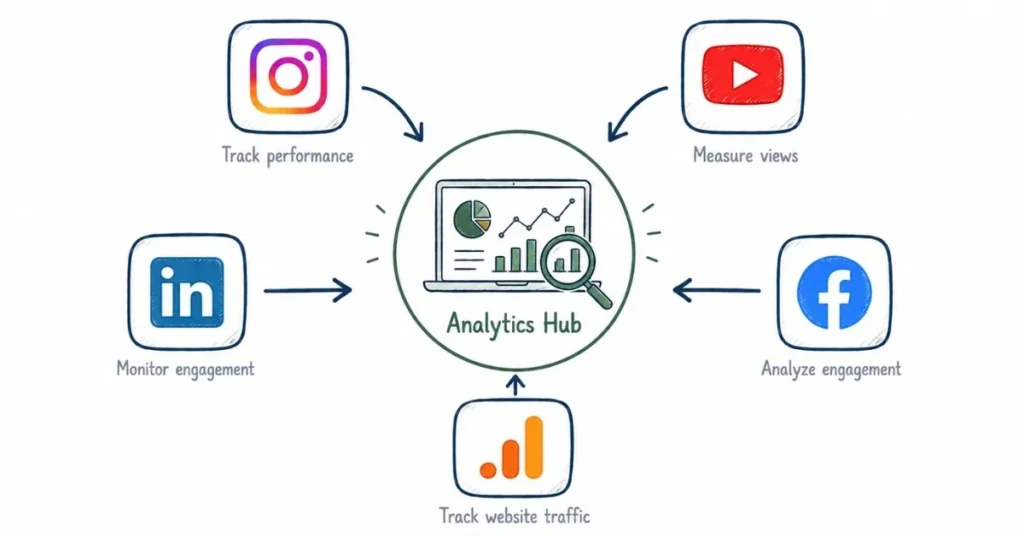
Each platform provides native analytics with varying levels of detail.
Instagram Insights
Available for Business and Creator accounts, accessed through your profile or individual posts.
Overview Metrics: Accounts reached (unique users who saw content), accounts engaged (users who interacted), total followers and demographics (gender, age ranges, top locations), follower activity times showing when they’re most active.
Content Performance: Reach, impressions, engagement (likes, comments, shares, saves) for each post, Reel plays and average watch time, Story views, exits, and replies, profile visits and website clicks from bio link.
Key Instagram Insight: Pay particular attention to saves this metric indicates content valuable enough to reference later, which Instagram’s algorithm rewards heavily. Compare your engagement rate across content types identifying whether Reels, carousels, or single images perform best for your specific audience.
YouTube Analytics
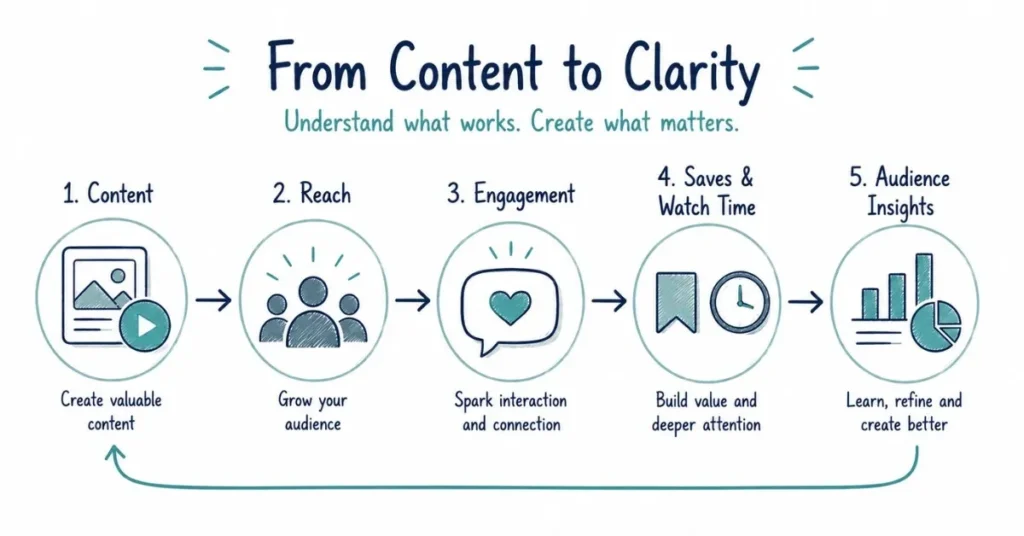
Accessed through YouTube Studio, offering incredibly detailed performance data.
Overview Metrics: Views, watch time, subscribers, and estimated revenue (for monetized channels). Real-time activity showing performance of recently published videos.
Reach Metrics: Impressions (how many times thumbnails were shown), click-through rate (percentage who clicked), traffic sources (YouTube search, suggested videos, external sources, browse features) showing how viewers discover you.
Engagement Metrics: Average view duration, audience retention graphs showing exactly when viewers drop off, likes, dislikes, comments, and shares.
Audience Insights: Demographics (age, gender, geography), when your viewers are on YouTube, subscription sources, other channels your audience watches, returning vs. new viewers.
Key YouTube Insight: Audience retention graphs are goldmines for improvement. Identify exactly when viewers lose interest, analyze what happened at those moments (boring sections, misleading expectations, poor pacing), and adjust future content avoiding those mistakes.
LinkedIn Analytics
Key LinkedIn Insight: LinkedIn shows which companies and job titles are viewing your content. Use this to confirm you’re reaching decision-makers in your target market, and adjust content strategy if actual audience differs from intended audience.
Facebook Insights
Accessed through Facebook Page settings or Meta Business Available for personal profiles and Company Pages.
Profile Analytics (Personal): Profile views and search appearances, post impressions and engagement, follower demographics and growth, article views and engagement.
Company Page Analytics: Visitors and follower demographics, post impressions and engagement broken by organic vs. paid, click-through rates to website, competitor comparison showing relative performance.
Overview Metrics: Page views, page likes, reach, engagement, follower demographics and growth.
Post Performance: Reach (organic vs. paid), engagement rate, click-through rate on links, video view duration and retention.
Audience Insights: Demographics, interests, behaviors, purchase behavior (for Pages with significant audiences).
Meta Business Suite Advantage: Manage both Facebook and Instagram analytics from one platform, with cross-platform reporting showing combined performance.
Twitter Analytics
Available through analytics.twitter.com for all accounts.
Tweet Activity: Impressions, engagements (clicks, likes, retweets, replies), engagement rate, link clicks.
Audience Insights: Follower growth, interests, demographics, and lifestyle characteristics.
Google Analytics: Tracking Social Traffic to Your Website
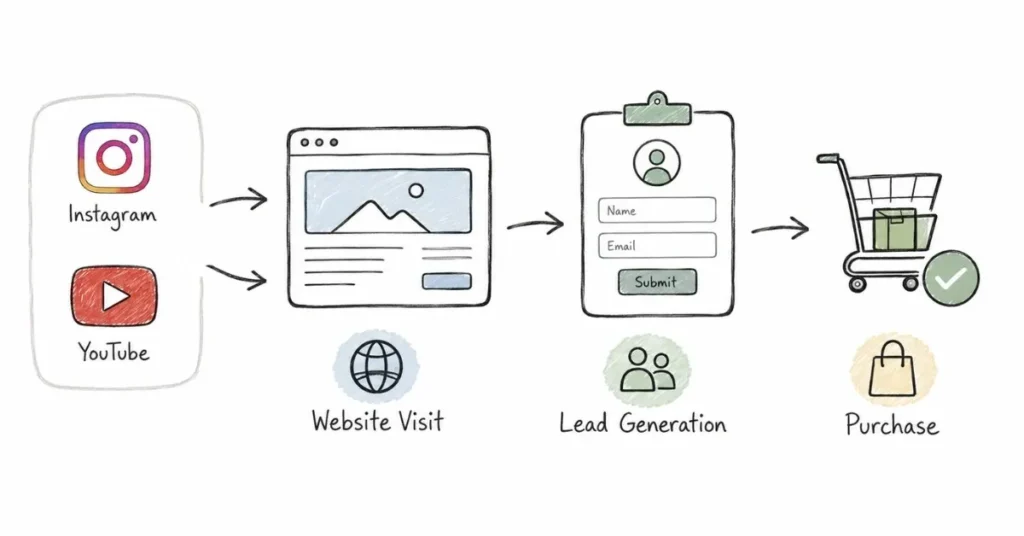
If you’re driving traffic to a website from social media, Google Analytics (completely free) is essential for understanding what happens after the click.
Setting Up Social Tracking: Ensure your website has Google Analytics installed. Use UTM parameters (tracking codes) in URLs you share on social media allowing precise attribution. Format: yoursite.com/page?utm_source=instagram&utm_medium=social&utm_campaign=product_launch
Social Reports: Navigate to Acquisition > Social > Overview to see which social platforms drive most traffic, behavior of social traffic (pages viewed, time on site, bounce rate), conversions from social visitors (sign-ups, purchases, downloads), and comparison of social traffic to other channels.
Key Insight: Many social platforms drive high traffic but low conversions, while others drive less traffic but higher quality. Understanding this helps you prioritize efforts on platforms delivering actual business results, not just traffic.
Third-Party Analytics Tools
Native platform analytics provide substantial data, but third-party tools offer additional capabilities.
Hootsuite Analytics
Provides cross-platform reporting comparing performance across all channels, customizable dashboards showing metrics that matter to you, competitive benchmarking, team performance tracking (for agencies), and scheduled automated reports.
Sprout Social
Offers comprehensive analytics similar to Hootsuite plus sentiment analysis of brand mentions and comments, influencer identification showing your most engaged followers, content optimization recommendations, and detailed demographic analysis.
Buffer Analyze
Simpler than Hootsuite or Sprout but user-friendly interface, focused reporting on key metrics, post performance comparison, and export capabilities for presentations.
Cost Consideration: These tools range from ₹5,000-30,000+ monthly. For most solo creators and small businesses, native platform analytics plus Google Analytics (both free) provide sufficient data. Invest in premium tools only when you specifically need features native analytics lack.
Analyzing Performance: Finding Actionable Insights
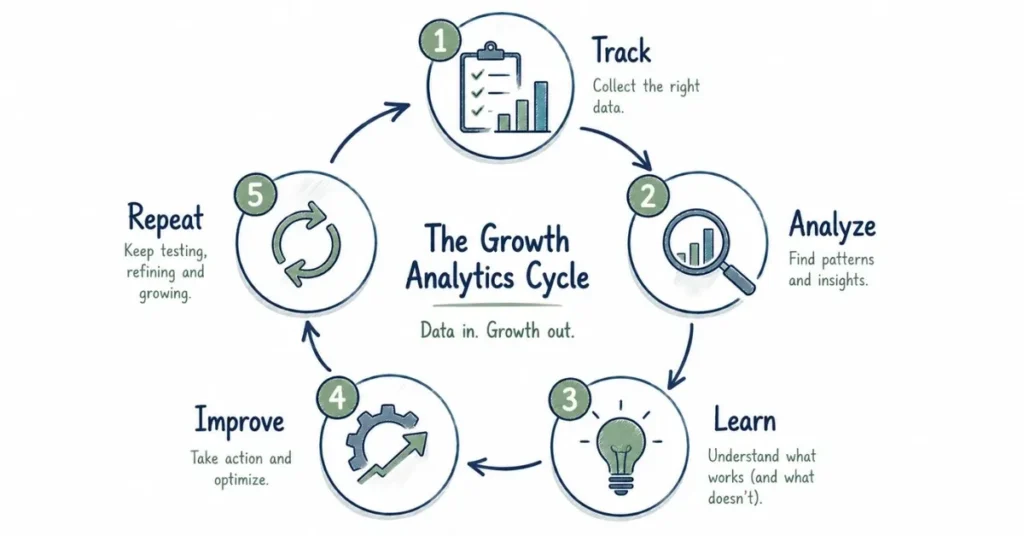
Collecting data is pointless without analysis revealing insights that inform decisions.
The Analysis Process
Step 1: Establish Baselines: Understand your typical performance before trying to identify trends. Calculate average engagement rate, typical reach per post, standard follower growth rate, and average traffic or conversions from social.
Step 2: Identify Outliers: Look for posts performing significantly better or worse than baseline. Exceptional performance indicates something worth replicating. Poor performance provides lessons about what to avoid.
Step 3: Seek Patterns: Analyze high-performing content for commonalities. Do certain topics consistently perform better? Do specific formats (video vs. images vs. text) generate more engagement? Do posting times correlate with performance? Are certain content pillars resonating more than others?
Step 4: Investigate Causes: Don’t stop at “this post performed well” dig into why. Was it the topic? The thumbnail? The caption hook? The posting time? The current trending audio? Understanding causes allows you to replicate success strategically rather than accidentally.
Step 5: Form Hypotheses: Based on patterns, develop testable hypotheses. “Educational carousel posts generate 2x more saves than single image posts.” “Videos posted at 7 PM Tuesday perform 30% better than Monday mornings.” “Content about career transitions consistently outperforms content about productivity tips.”
Step 6: Test and Measure: Deliberately create content testing your hypotheses. Did the expected pattern hold? If yes, incorporate into your strategy. If no, investigate why your hypothesis was wrong.
Step 7: Document Learnings: Maintain a simple spreadsheet or Notion page documenting key learnings so insights aren’t forgotten. “Audience engages most with personal story content. How-to content drives more saves and website clicks. Posting Wednesday 6-8 PM consistently outperforms other times.”
Comparative Analysis Frameworks
Time-Based Comparison: Compare this month’s performance to last month or same month last year. Is engagement trending up or down? Is follower growth accelerating or plateauing?
Content-Type Comparison: Compare average performance across different content formats. Do Reels outperform static posts? Do carousels generate more engagement than single images? Does long-form video perform better than short clips?
Topic-Based Comparison: Compare performance across your content pillars. Which topics generate most engagement? Which drive most link clicks? Which attract most new followers?
Platform Comparison: Compare performance across platforms. Which platforms deliver highest engagement rates? Which drive most website traffic? Which generate most conversions? This informs resource allocation.
Reporting: Communicating Data to Stakeholders
Whether reporting to clients, employers, or just personal accountability, effective reporting communicates insights clearly.
Reporting Frequency
Weekly Reports (Internal): Brief check-ins tracking key metrics, identifying immediate issues or opportunities, noting content performance highlights.
Monthly Reports (Stakeholders): Comprehensive overview of performance, progress toward goals, top-performing content, insights and learnings, recommendations for next month.
Quarterly Reports (Strategic): Big-picture analysis of trends, assessment of whether strategy is working, major insights informing strategic adjustments, competitive landscape changes.
Report Structure
Executive Summary: 2-3 sentence overview of overall performance and key highlights. Busy stakeholders often read only this section.
Goal Progress: Show progress toward specific objectives established at beginning of period. “Goal: Reach 50,000 followers by year-end. Current: 42,000 (84% toward goal, on track)”.
Key Metrics: Present most important metrics in easy-to-scan format (tables or visualizations). Include previous period comparison showing trends.
Top Performing Content: Showcase 3-5 best-performing posts with brief analysis of why they succeeded.
Insights and Learnings: 2-4 key takeaways from the data. “Audience engagement peaks during evening hours.” “Educational content drives 40% more website traffic than other content types.”
Recommendations: Based on insights, what should you do more of, less of, or differently next period? Make recommendations specific and actionable.
Visualization Best Practices
Visualize data making it more digestible than raw numbers. Use line graphs for trends over time (follower growth, engagement rate). Use bar charts for comparisons across categories (content type performance). Use pie charts for composition (traffic source breakdown). Use tables for detailed metrics when context matters.
Tools like Google Sheets, Canva, or presentation software create professional visualizations. Keep them simple overly complex charts confuse rather than clarify.
Proving ROI: Connecting Social Media to Business Results
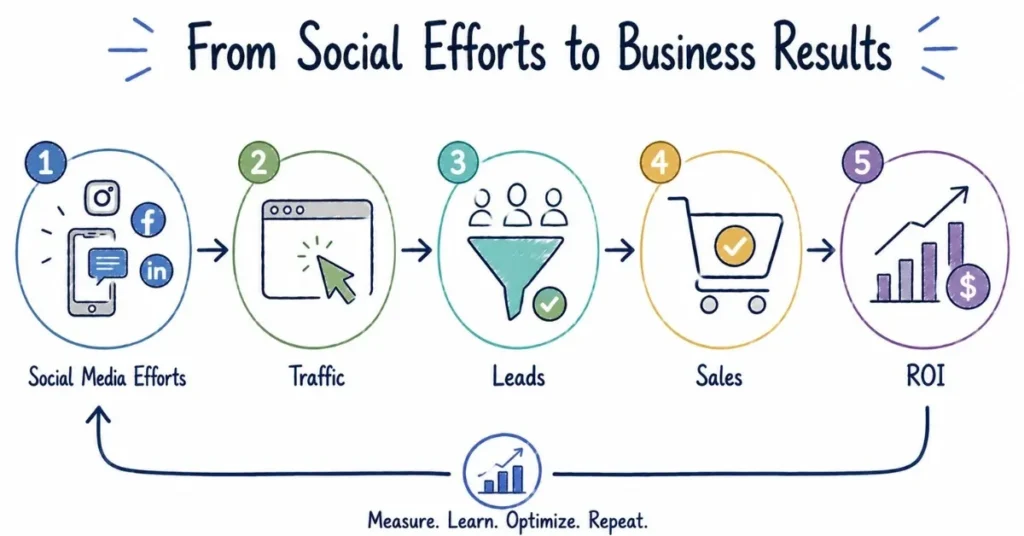
The ultimate analytics challenge is demonstrating how social media contributes to actual business outcomes.
Attribution Models
Last-Click Attribution: Gives full credit to the last touchpoint before conversion. If someone clicks your Instagram link then immediately purchases, Instagram gets credit. Simple but often undervalues social media’s role in longer consideration processes.
First-Click Attribution: Credits the first touchpoint introducing customer to your brand. Useful for understanding awareness sources.
Multi-Touch Attribution: Distributes credit across all touchpoints in the customer journey. More accurate but technically complex to implement.
ROI Calculation Framework
Define Costs: Total time invested (hours × hourly rate), tool subscriptions (Canva, scheduling tools, analytics), paid advertising spend, freelancer or agency fees. Total: ₹X monthly investment.
Calculate Returns: For e-commerce: Direct sales attributed to social referrals, average order value × number of orders. For lead generation: Number of leads × conversion rate × average customer lifetime value. For brand awareness: Estimated value of reach and impressions (harder to quantify but use industry benchmarks).
ROI Formula: (Return – Investment) / Investment × 100 = ROI%. Positive percentage indicates profitable social media efforts.
Example ROI Calculation: E-commerce business invests ₹25,000 monthly in social media (₹10,000 tools and ads, ₹15,000 time). Social media drives 150 orders averaging ₹1,500 each = ₹2,25,000 revenue. ROI = (₹2,25,000 – ₹25,000) / ₹25,000 × 100 = 800% ROI.
Advanced Analytics: Going Deeper
Cohort Analysis: Track behaviors of groups who discovered you during specific periods. Do followers gained in January have different engagement patterns than those gained in June? This reveals content quality changes over time.
Sentiment Analysis: Analyze comment sentiment (positive, neutral, negative) understanding audience feelings beyond just engagement counts. Tools like Sprout Social automate sentiment analysis.
Competitive Benchmarking: Track competitors’ performance (follower growth, engagement rates, content strategies) providing context for your results. Growing 10% monthly might seem good until you discover competitors are growing 25%.
A/B Testing: Test variables systematically. Post same content at different times comparing performance. Test different thumbnail styles on similar videos. Test caption lengths or different calls-to-action. Document which variations perform better.
Common Analytics Mistakes
Tracking Too Many Metrics: Trying to monitor everything leads to analysis paralysis. Focus on 5-7 metrics directly tied to your goals.
Ignoring Qualitative Data: Numbers don’t tell the complete story. Read comments understanding what audiences actually think. Conduct surveys gathering deeper insights.
Cherry-Picking Data: Only highlighting positive metrics while ignoring concerning trends. Honest analysis reveals both successes and areas needing improvement.
Not Taking Action: The point of analytics is informing better decisions. Simply tracking without adjusting strategy wastes effort.
Comparing Apples to Oranges: Comparing your engagement rate on Instagram to someone’s YouTube watch time, or your travel content performance to a finance creator’s metrics provides no useful insight. Compare within your niche and platform.
Short-Term Thinking: Social media success builds over time. One underperforming week doesn’t indicate failure. Focus on monthly and quarterly trends, not daily fluctuations.
Conclusion: Building Your Influencer Marketing Career
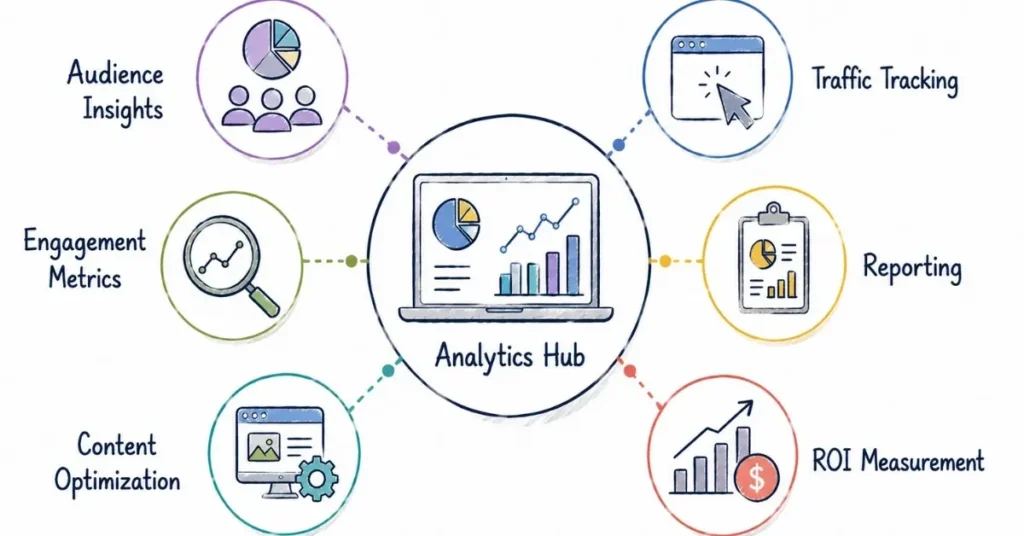
Social media analytics transform guesswork into strategy, providing clarity about what’s working, confidence in resource allocation decisions, proof of value for clients or employers, and direction for continuous improvement. You don’t need to be a data scientist you just need to track metrics that matter, regularly review performance, identify patterns and insights, and most importantly, adjust your approach based on what the data reveals.
Start simply by choosing 5-7 key metrics aligned with your specific goals and checking them weekly. Create a simple spreadsheet or document tracking these metrics over time revealing trends. After each month, spend 30 minutes analyzing which content performed best and why, then consciously apply those learnings to next month’s content. That simple process track, analyze, learn, adjust is the foundation of data-driven social media success.
The platforms and tools you use will evolve, but the principle remains constant: let data guide your strategy while maintaining creativity and authenticity. Numbers inform the “what” and “when,” but your unique voice and perspective determine the “how.” Master both, and your social media success becomes not just possible, but inevitable. Your analytics journey starts now log into your platform insights and spend 15 minutes exploring what data reveals about your content. Those insights are waiting to transform your results.