
Virtual Interview Self-Introduction: Stand Out on Video Calls
Table of Contents
Why Virtual Interviews Require a Different Introduction Strategy
Rajesh had his self-introduction perfected. He’d practiced it twenty times, gotten feedback from friends, and felt completely confident. Then came the video interview. His internet lagged mid-sentence. His room looked cluttered in the background. He couldn’t tell if the interviewer was looking at him or their phone. His carefully crafted introduction fell flat.
Here’s what most candidates don’t realize: a virtual interview isn’t just an in-person interview on a screen—it’s an entirely different communication format that requires specific preparation.
In a physical interview room, your presence fills the space naturally. On video, you’re reduced to a small rectangle on a screen, competing with notifications, other browser tabs, and the interviewer’s home environment. Your introduction needs to work twice as hard to create the same impact.
According to recent hiring trends, over 70% of first-round interviews in India now happen virtually, especially in IT, marketing, and business roles. If you’re not optimizing your self-introduction for video, you’re already behind.
The Technical Setup: Get This Right Before You Even Speak
Your introduction starts before you say a single word. Here’s what interviewers notice in the first 5 seconds of a video call:
Your Camera Position
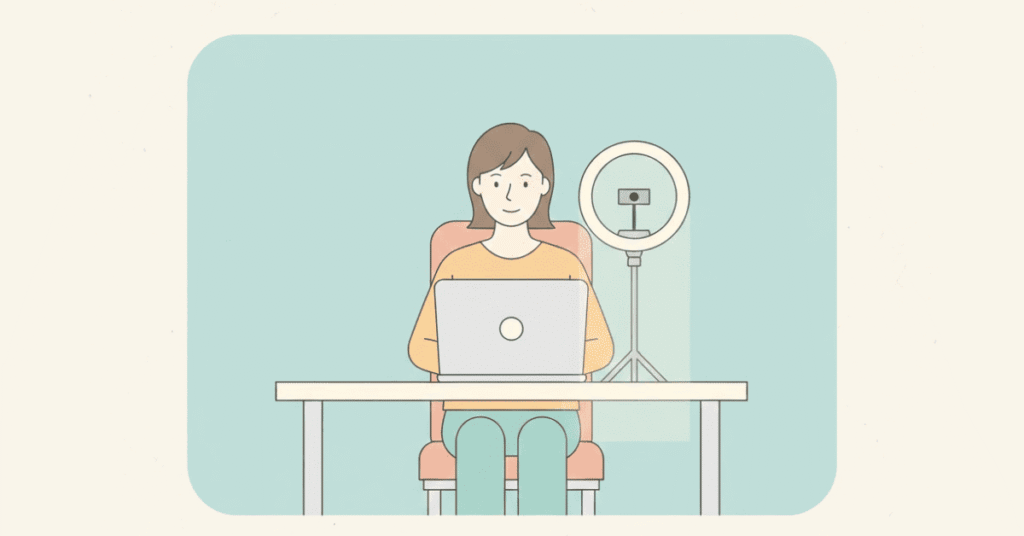
Position your camera at eye level. Most people place their laptop on a desk, which creates an unflattering upward angle that makes you look unprofessional.
The fix: Stack books under your laptop or invest in a laptop stand. Your camera should be directly in front of your face, not below or above.
Your Lighting
Sitting with a window behind you makes you look like a dark silhouette. Poor lighting equals poor first impression.
The fix: Face a window or lamp. Natural light from the front is best. Avoid overhead lighting that creates shadows on your face. If you’re interviewing in the evening, use a desk lamp positioned in front of you.
Your Background
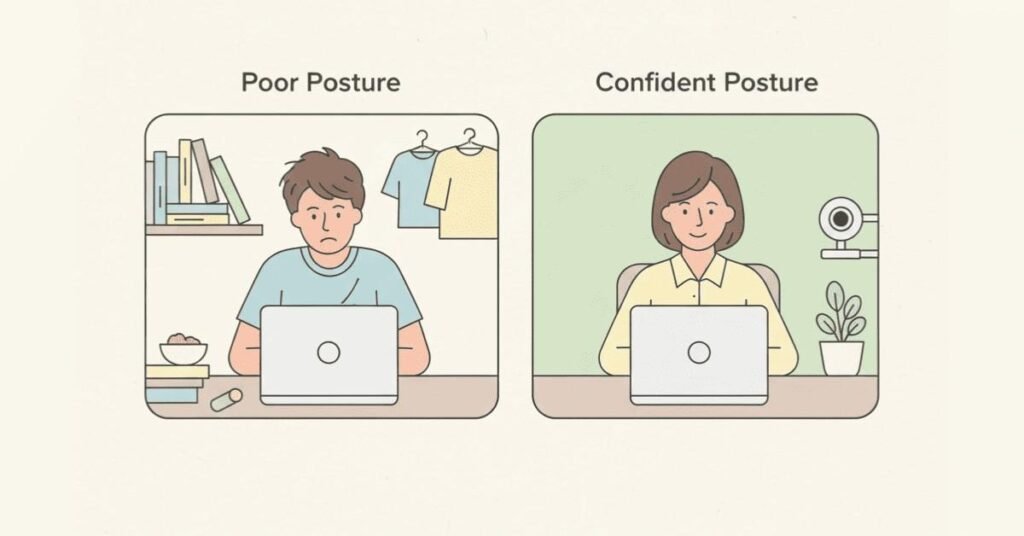
A messy room, unmade bed, or cluttered bookshelf signals lack of preparation. Even if your introduction is perfect, a distracting background undermines it.
The fix: Use a plain wall as your background. If that’s not possible, tidy the visible area. Remove anything unprofessional—no laundry, no unmade beds, no posters. Virtual backgrounds can work but test them first; some look fake or glitchy.
Your Audio Quality
If the interviewer has to strain to hear you or deal with echo, your words lose impact no matter how well-crafted they are.
The fix: Use earphones with a built-in microphone. They dramatically improve audio quality compared to laptop speakers. Test your audio before the interview—record yourself and listen back.
Your Internet Connection
Nothing kills momentum like “Can you hear me?” or “You’re breaking up” mid-introduction.
The fix: Close all other applications and browser tabs. Ask family members not to stream videos during your interview. If your WiFi is unreliable, consider using mobile hotspot as backup or scheduling your interview when internet traffic is low.
Adapting Your Introduction Content for Virtual Settings
Your core introduction message doesn’t change, but how you deliver it does. Here’s what needs adjustment for video.
Keep It Slightly Shorter
In-person, you can comfortably deliver a 90-second introduction. On video, attention spans are shorter. Aim for 60-75 seconds maximum.
Be More Structured
Virtual communication requires extra clarity. Use clear transitions in your introduction:
“Let me tell you about three things: my background, my key achievements, and why I’m excited about this role.”
This roadmap helps the interviewer follow along, especially if there are any audio delays.
Add Energy to Your Voice
Video flattens your personality. You need to compensate with 20% more vocal energy than you’d use in person.
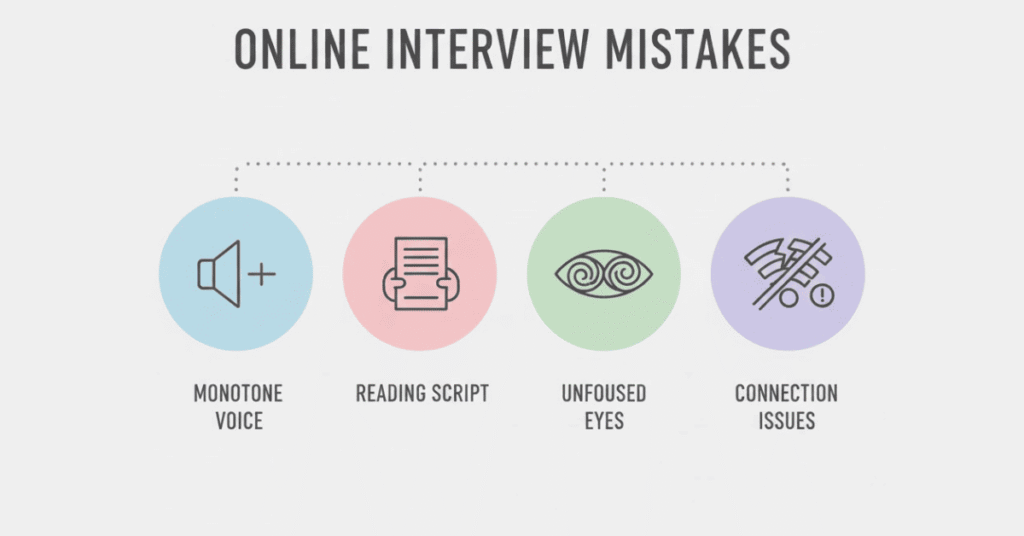
This doesn’t mean shouting—it means speaking with clarity, varying your tone, and avoiding monotone delivery. Record yourself and listen. If you sound bored, they’ll feel bored.
Use Strategic Pauses
Internet delays can cause overlapping speech. Build in deliberate pauses after key points to ensure smooth conversation flow.

Virtual-Specific Body Language and Camera Presence
Eye Contact on Video
Looking at the interviewer’s face on screen makes it seem like you’re looking down. Looking at the camera feels unnatural but creates “eye contact” for them.
The balance: Look at the camera when making key points. Look at the screen when listening. Practice this split until it feels natural.
Hand Gestures
In person, hand gestures enhance communication. On video, they can be distracting if your hands move out of frame or too energetically.
The fix: Keep gestures small and within the frame. Your hands should be visible but controlled. Test this during practice—ensure your gestures don’t make you look like you’re flapping.
Sitting Position
Slouching or leaning too far back makes you look disengaged. Leaning too close makes you look aggressive.
The sweet spot: Sit upright with shoulders back, about an arm’s length from the screen. Frame yourself so your head and shoulders fill most of the video window—not too close, not too far.
Facial Expressions
Video mutes subtle expressions. Smile more than you normally would. Nod occasionally to show engagement. Your face needs to work harder to convey warmth through a screen.
What to Do with Your Hands When Not Gesturing
Place them on the desk in front of you or in your lap—visible but still. Avoid fidgeting, playing with pens, or touching your face.

The Virtual Introduction Formula
Here’s how to structure your introduction specifically for video interviews:
Opening (5 seconds)
Start with a smile and direct camera gaze. Greet them warmly.
“Good morning! Thank you so much for taking the time to meet with me today.”
This extra courtesy matters on video because you can’t shake hands or read the room physically.
Name and Professional Identity (10 seconds)
Look at the camera, speak clearly, and state your core professional identity.
“I’m Priya Sharma, a digital marketing specialist with 4 years of experience in B2B SaaS marketing.”
Structured Key Points (40 seconds)
Use the “three things” structure for clarity:
“Let me share three things about my background. First, my current role—I manage content strategy and SEO at TechCorp, where I’ve grown organic traffic by 60% over two years. Second, a key achievement—I recently led a campaign that generated 500 qualified leads, contributing to ₹50 lakhs in closed deals. Third, what excites me about this opportunity—your company’s focus on AI-driven marketing tools aligns perfectly with the skills I’ve been developing.
Engaging Close (10 seconds)
End with a question or statement that invites dialogue.
“I’d love to hear more about the specific marketing challenges your team is currently working on.”
This creates a natural transition to conversation rather than an abrupt ending.
Total: 65 seconds with clear structure and pauses.
Platform-Specific Considerations
Different video platforms have different quirks. Prepare accordingly.
Zoom Interviews
- Familiarize yourself with mute/unmute
- Know how to enable/disable video
- Test screen sharing in case they ask
- Check your Zoom name displays professionally (not “priya_party123”).
Microsoft Teams
- Similar to Zoom but may have company restrictions
- Background blur feature works well if your room isn’t ideal
- Be prepared for potential company firewall delays.
Google Meet
- Generally stable but audio quality can vary
- Test beforehand as some features differ from Zoom
- Make sure you’re using the right Google account (work vs. personal).
Phone/WhatsApp Video
- Hold your phone steady (use a stand if possible)
- Landscape mode usually works better than portrait
- Ensure phone is fully charged and on silent mode.
Common Virtual Interview Introduction Mistakes
Mistake #1: Starting Before You’re Ready
You join the call, they can see you, and you scramble to fix your camera or find your notes while visible.
The fix: Join 2-3 minutes early. Get settled. Compose yourself. When they arrive, you’re ready.
Mistake #2: Reading from Notes Too Obviously
Yes, you can have notes in a virtual interview. No, you shouldn’t make it obvious you’re reading word-for-word.
The fix: Keep bullet points visible but maintain natural eye contact patterns. Glance down occasionally, not constantly.
Mistake #3: Forgetting You’re on Camera
Adjusting your hair, checking your phone, drinking water mid-sentence—all visible and unprofessional.
The fix: Treat it like an in-person interview. Stay engaged and professional from the moment you connect until after they disconnect.
Mistake #4: Not Testing Your Setup
Discovering your camera doesn’t work or your microphone is muted when the interview starts creates terrible first impressions.
The fix: Test everything 30 minutes before. Do a practice call with a friend if it’s your first video interview.
Mistake #5: Dressing Unprofessionally (Even Below Frame)
Wearing formal shirt with pajama bottoms seems smart until you have to stand up unexpectedly.
The fix: Dress completely professional, top to bottom. It also helps you feel more professional and confident.
Mistake #6: Ignoring Technical Issues
Your screen freezes or audio cuts out, and you panic or pretend nothing happened.
The fix: If technical issues occur, acknowledge them calmly. “I apologize, I think my internet lagged. Let me repeat that last point.” This shows composure under pressure.
Practice Exercises for Virtual Introduction Mastery
Week Before Interview:
Day 1: Set up your interview space. Test camera angle, lighting, background. Take screenshots and adjust.
Day 2: Record yourself delivering your introduction. Watch it without sound first—do you look engaged? Then listen without watching—do you sound confident?
Day 3: Practice looking at the camera (not the screen) while speaking. This feels unnatural but creates eye contact for viewers.
Day 4: Do a mock interview with a friend on video. Ask them to give honest feedback about audio quality, background distractions, and body language.
Day 5: Practice handling interruptions. Have someone knock on your door mid-introduction. Practice pausing gracefully and resuming.
Day 6: Test your backup plan. What if WiFi fails? Have mobile hotspot ready. What if your primary device crashes? Have phone backup.
Day 7: Final run-through at the exact time your interview is scheduled. Internet speed can vary by time of day.
Virtual Introduction Examples for Different Scenarios
Example 1: IT Professional with Poor Internet
“Good morning! I’m Karthik, a software engineer with 5 years in backend development. Before we begin, I want to mention I’m in an area with occasionally unstable internet. If I freeze or disconnect, I’ll reconnect immediately—my mobile hotspot is ready as backup. Now, about my experience—I currently work at Tech Solutions where I’ve built scalable APIs that handle 2 million daily transactions. My key achievement is reducing server response time by 40% through code optimization. I’m excited about this role because your company’s work in fintech infrastructure presents exactly the kind of complex challenges I want to solve.
Why this works: Proactively addresses potential technical issues, showing preparedness and professionalism.
Example 2: Fresher in First Video Interview
“Hello! Thank you for this opportunity. I’m Sneha, a recent computer science graduate from JNTU Hyderabad. This is actually my first video interview, so I’m a bit nervous but very excited. During my degree, I specialized in web development and built a campus event management platform used by 500+ students. I also completed a 3-month internship at Creative Solutions where I contributed to their e-commerce website frontend. I’m particularly drawn to your company’s focus on user-friendly design and would love to contribute to building products that make technology accessible to everyone.
Why this works: Acknowledges nervousness honestly (builds rapport), highlights relevant achievements, shows genuine enthusiasm.
Example 3: Experienced Professional in Senior Role Interview
“Good afternoon, and thank you for meeting with me. I’m Madhavi Reddy, Head of Operations for South India at Logistics Corp, managing 8 warehouses and a team of 120. Over the past 5 years, I’ve transformed our delivery efficiency from 78% to 96% on-time performance while reducing costs by 22%. I’ve also mentored three managers who now lead their own regional operations. I’m exploring this VP Operations role because I’m ready to drive transformation at a national scale. I’d love to understand more about the strategic priorities you’re hoping this role will address.
Why this works: Opens with scope and scale, quantifies achievements, positions for higher responsibility, ends with engaging question.
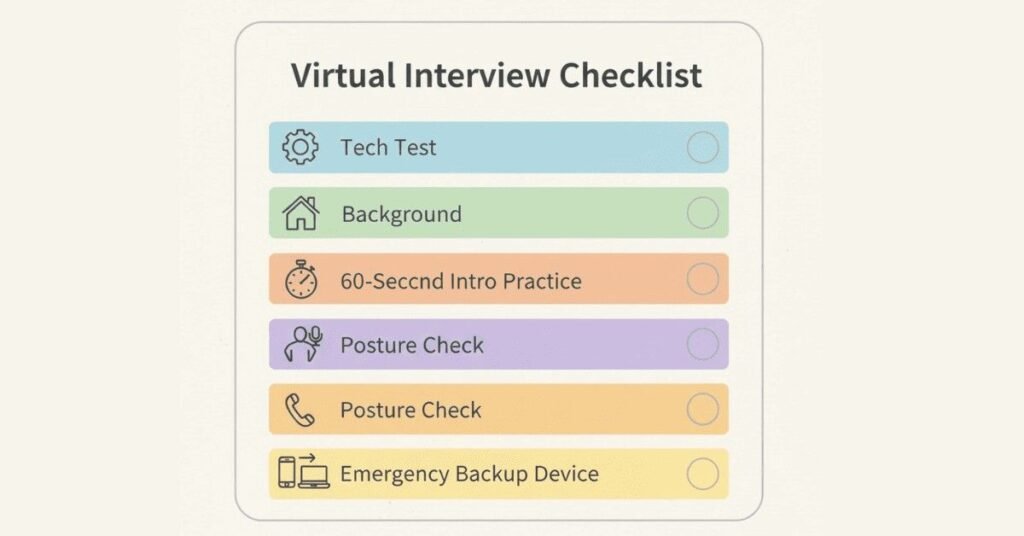
Your Virtual Interview Confidence Checklist
Print this checklist and review before every virtual interview.
30 Minutes Before:
- ✅ Test camera, microphone, internet
- ✅ Close all unnecessary applications
- ✅ Check lighting and background
- ✅ Have backup device and mobile hotspot ready
- ✅ Review company research and your introduction notes
10 Minutes Before:
- ✅ Use the bathroom (avoid interruptions)
- ✅ Have water nearby (visible but not in frame)
- ✅ Turn phone to silent (not vibrate—that’s audible)
- ✅ Inform family members not to disturb
- ✅ Do vocal warm-up (say your introduction once out loud)
During Introduction:
- ✅ Smile and maintain warm expression
- ✅ Look at camera for key points
- ✅ Speak 20% more energetically than normal
- ✅ Use natural pauses
- ✅ Stay aware of body language
After Introduction:
- ✅ Stay engaged (you’re still on camera)
- ✅ Don’t immediately check phone or notes
- ✅ Maintain professional demeanor until call ends
The Virtual Advantage
Here’s something most candidates miss: virtual interviews actually offer unique advantages if you use them strategically.
You can have notes visible (just don’t make it obvious you’re reading).
You control your environment (unlike unfamiliar interview offices)
You can perfect your framing and lighting (control what they see)
Technical fluency itself impresses (showing you can handle virtual work matters)
The candidates who excel in virtual interviews are those who see the format not as a limitation but as an opportunity to demonstrate tech-savviness, preparation, and adaptability—all skills modern employers value.
Master the Medium, Master the Message
Virtual interviews are here to stay. In 2025, most companies conduct at least first-round interviews remotely. Your ability to introduce yourself effectively on video isn’t just about landing this job—it’s a fundamental career skill.
The difference between candidates who succeed and those who don’t isn’t usually the content of their introduction. It’s the technical preparation, camera presence, and understanding that virtual communication requires different strategies than in-person interaction.
Set up your space this week. Record yourself multiple times. Get comfortable looking at a camera. Practice handling technical glitches gracefully. Then walk into your next virtual interview knowing you’ve mastered both the message and the medium.
Your screen presence is your first impression. Make it count.