
Resume Preparation Guide

Table of Contents
The Ultimate Resume Preparation Guide
Core Resume Fundamentals
A resume is a concise, strategic document marketing your skills, experience, and qualifications to potential employers. Unlike comprehensive CVs listing entire career histories, resumes typically span 1-2 pages highlighting most relevant qualifications for specific positions. Modern resumes must satisfy both human readers and Applicant Tracking Systems (ATS) that screen applications before they reach recruiters
The average recruiter spends just 6-7 seconds on initial resume screening, making visual clarity, strategic formatting, and front-loaded important information critical. Your resume must immediately communicate value proposition and relevant qualifications within seconds.
“Want More Resume & Career Growth Tips? Explore Frontlines Media’s Expert Guides →”
Choosing the Right Resume Format
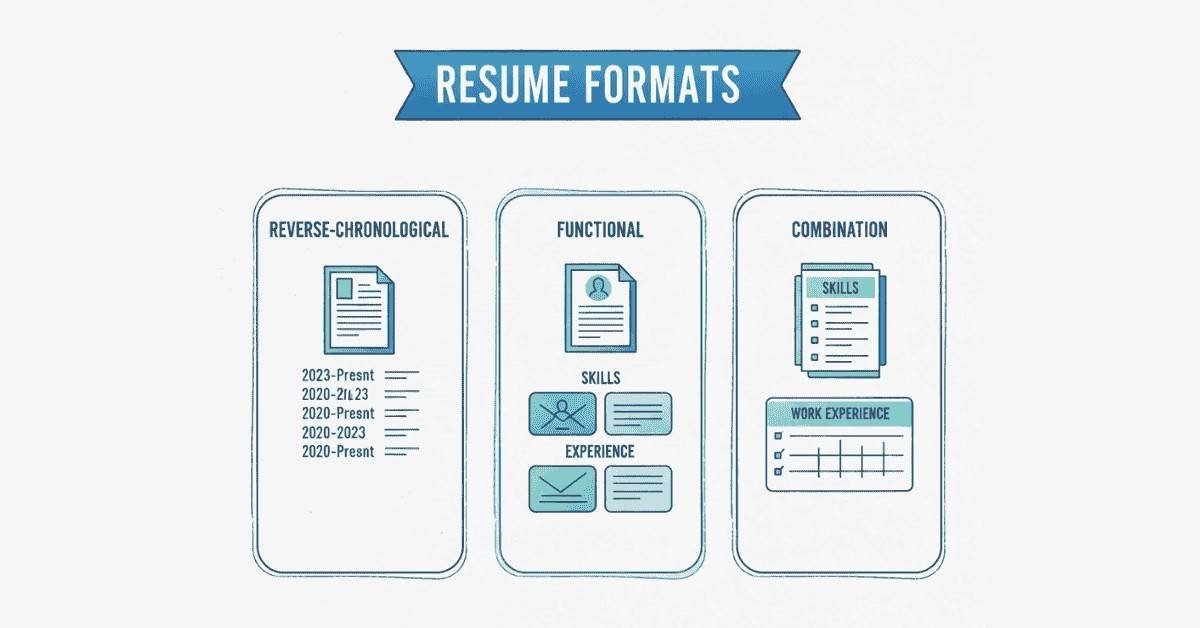
Reverse-Chronological Format – This most common format presents work history starting with current or most recent position and working backward chronologically. It works best for candidates with consistent employment history showing clear career progression without significant gaps. Advantages include easy-to-follow narrative and familiar structure recruiters prefer. Drawbacks include highlighting employment gaps and not emphasizing skills over timeline.
Functional (Skills-Based) Format – This format emphasizes skills and competencies over employment chronology, grouping experience by skill categories rather than job titles. It benefits career changers, candidates with employment gaps, or those whose job titles don’t reflect actual responsibilities. However, many recruiters distrust functional resumes, suspecting candidates are hiding problematic employment histories.
Combination (Hybrid) Format – This format merges chronological and functional approaches, featuring prominent skills section followed by reverse-chronological employment history. It works well for candidates with strong skill sets and solid work histories, allowing emphasis on both capabilities and experience. This format provides flexibility but requires careful design preventing excessive length.
Essential Resume Sections
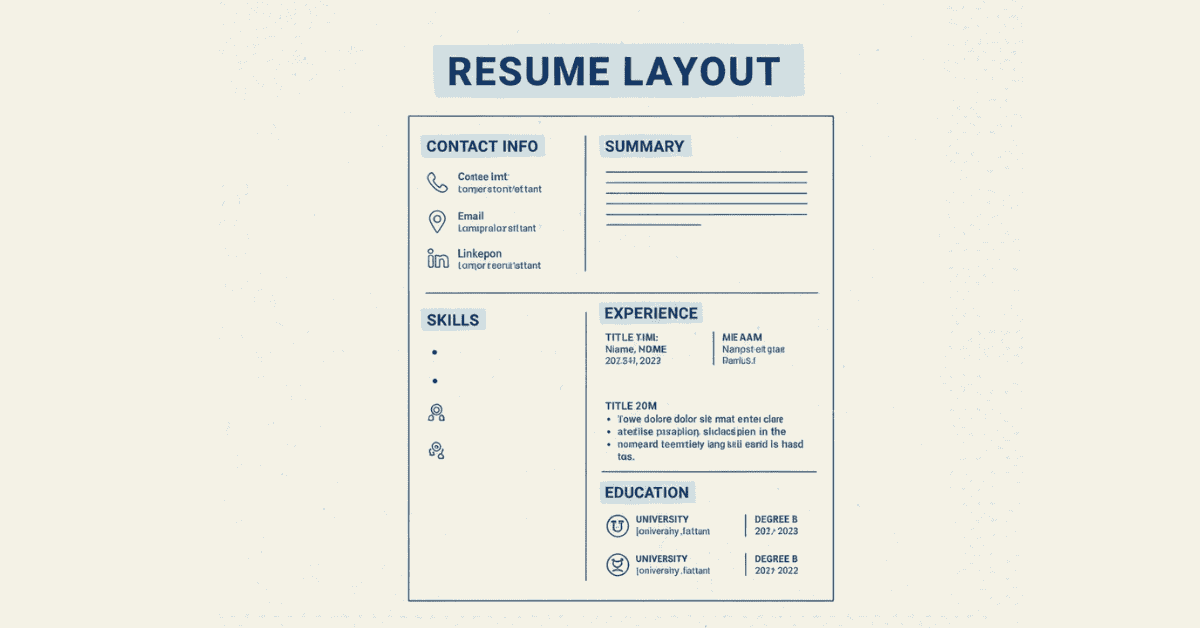
Contact Information – Place your full name prominently at the top in larger font (14-16 point). Include phone number with professional voicemail, professional email address (avoid casual addresses like “partygirl@email.com”), city and state (full address unnecessary and may bias recruiters), and LinkedIn profile URL customized to your name. For relevant roles, include portfolio website or GitHub profile.
Resume Summary or Objective – A powerful 2-4 sentence summary appears below contact information, immediately establishing your value proposition. Summaries work best for experienced professionals: “Results-driven Digital Marketing Manager with 7+ years driving ROI-focused campaigns for B2B SaaS companies. Expertise in SEO, content marketing, and marketing automation platforms (HubSpot, Marketo). Track record of increasing qualified leads by 150% while reducing CAC by 35%”.
Objectives suit entry-level candidates or career changers: “Recent Computer Science graduate seeking Software Engineer position to apply strong foundation in Java, Python, and data structures. Completed 3 internships developing full-stack applications and contributed to 2 open-source projects”.
Professional Experience – This centerpiece section details employment history with company name, location, job title, and employment dates (month/year format). For each position, include 3-6 bullet points describing responsibilities and achievements. Front-load each bullet with strong action verbs: achieved, managed, developed, implemented, increased, reduced, designed, launched.
Emphasize achievements over duties using the CAR method: Challenge-Action-Result. Instead of “Responsible for managing social media,” write “Increased Instagram engagement by 240% over 6 months by implementing data-driven content strategy and influencer partnerships, resulting in 15,000 new followers and 450 qualified leads”.
Quantify accomplishments whenever possible. Numbers provide concrete evidence of impact: percentages, dollar amounts, time savings, team sizes, project scopes, user counts, or efficiency improvements.
Education Section – List degrees in reverse chronological order including institution name, degree type, major, graduation year (or expected graduation for current students), and GPA if above 3.5/4.0. Recent graduates should place education before experience; professionals with 3+ years experience should list education after professional experience.
Include relevant coursework, honors, awards, or significant projects only if space permits and they’re relevant to target positions. Omit high school information once you have college credentials unless applying internationally where secondary education is expected.
Skills Section – Create clearly organized skills sections grouped logically: Technical Skills, Programming Languages, Tools & Platforms, Certifications, or Languages. List specific, tangible skills rather than vague soft skills. “Python, SQL, Tableau, A/B Testing, Google Analytics” outperforms “Problem Solving, Team Player, Communication”.
Prioritize skills matching job descriptions for ATS optimization. However, never list skills you don’t genuinely possess—interviews quickly expose skill misrepresentation.
Optional Sections – Include additional sections if they add value: Certifications (particularly important for IT, project management, or specialized fields), Projects (especially for developers, designers, or recent graduates), Publications, Awards & Honors, Volunteer Experience (if relevant to role or filling experience gaps), or Professional Memberships.
“Build Skills That Strengthen Your Resume — Explore Job-Ready Courses →”
ATS Optimization Strategies
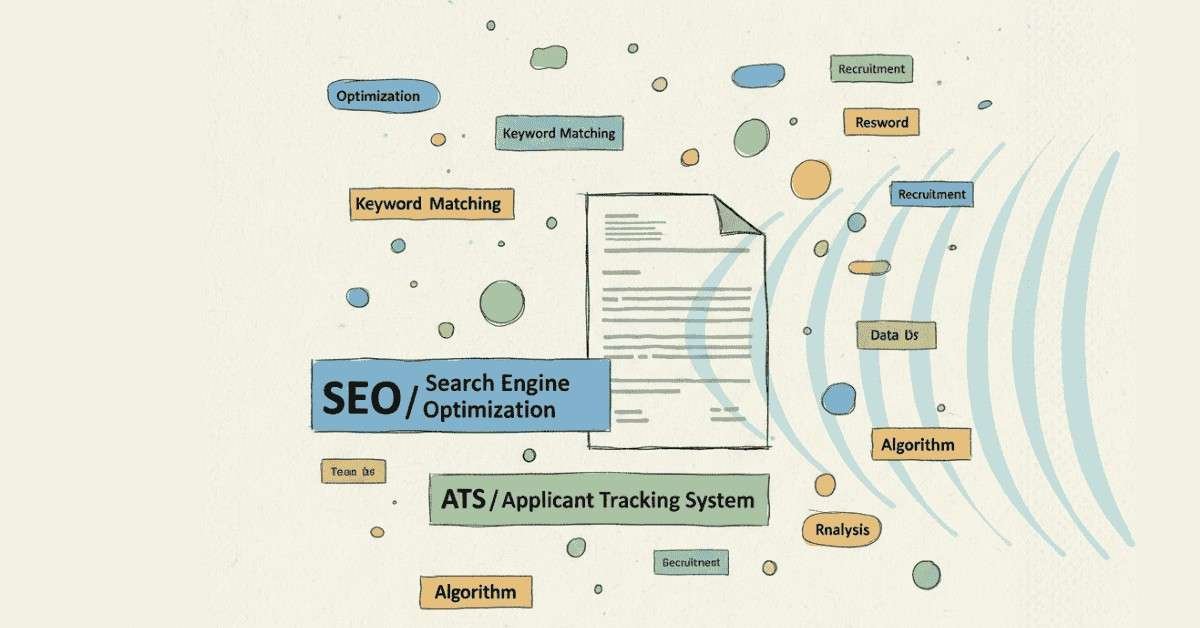
Understanding ATS Technology – Applicant Tracking Systems scan resumes parsing information into structured databases before human review. Approximately 75% of resumes never reach human eyes, rejected by ATS due to formatting issues, missing keywords, or poor compatibility. Optimizing for ATS dramatically increases chances of human review.
Keyword Integration – ATS rankings heavily weight keyword matching between resumes and job descriptions. Analyze target job postings identifying frequently mentioned skills, qualifications, software, certifications, and responsibilities. Integrate these exact terms throughout your resume naturally—in skills section, experience descriptions, and summary.
Use both acronyms and spelled-out versions of terms: “Search Engine Optimization (SEO),” “Application Programming Interface (API),” or “Bachelor of Science (BS).” Some ATS search acronyms; others search full terms.
ATS-Friendly Formatting – Use simple, clean formatting avoiding tables, text boxes, headers/footers (except for name/contact info), graphics, images, or complex column layouts that confuse ATS parsers. Stick with standard fonts (Arial, Calibri, Georgia, Times New Roman) in 10-12 point size.
Use conventional section headings ATS recognizes: “Work Experience” or “Professional Experience” rather than creative titles like “My Journey” or “Career Highlights.” Save resumes as .docx or PDF formats (check job posting for preference)—avoid .jpg, .png, or uncommon file types.
Bullet Point Best Practices – Begin each bullet with strong action verbs demonstrating impact. Vary verbs across bullets avoiding repetition. Effective verbs include: achieved, accelerated, consolidated, coordinated, designed, developed, directed, enhanced, established, executed, expanded, implemented, improved, increased, launched, led, managed, optimized, reduced, revitalized, spearheaded, streamlined, transformed.
Avoid personal pronouns (I, me, my). Instead of “I managed a team of 5 developers,” write “Managed team of 5 developers…”.
Resume Design and Visual Hierarchy
White Space Utilization – Effective resumes balance content density with white space creating visual breathing room. Margins should be 0.5-1 inch on all sides. Leave space between sections using consistent spacing. Dense, cramped resumes appear overwhelming and discourage reading.
Consistent Formatting – Maintain uniform formatting throughout: consistent date formats (January 2023 vs Jan 2023), bullet point styles, heading sizes, and spacing. Inconsistency appears sloppy and unprofessional.
Strategic Bold and Italics – Use bold for company names, job titles, and section headings drawing attention to key information. Use italics sparingly for emphasis or to distinguish elements like degree types or publication titles. Avoid excessive formatting making resumes difficult to scan.
“Learn More About Resume Writing, LinkedIn Optimization & Job Search Strategy →”
Tailoring Resumes for Specific Positions
Customization Necessity – Generic resumes rarely succeed in competitive markets. Tailor each resume to specific job descriptions by emphasizing relevant experience, reordering skill priorities, and adjusting summary statements to match position requirements. This targeted approach significantly increases interview rates.
Core Resume Template – Maintain a comprehensive master resume documenting all experience, skills, projects, and achievements. Create targeted versions by selecting and emphasizing most relevant elements for each application. This approach balances efficiency with customization.
Common Resume Mistakes to Avoid
Spelling and Grammar Errors – Typos, grammatical mistakes, or spelling errors create immediate negative impressions suggesting carelessness. Proofread multiple times, use spelling/grammar checking tools, and have others review before submitting.
Excessive Length – Entry-level to mid-level professionals (0-7 years experience) should maintain 1-page resumes. Senior professionals or those with 10+ years may extend to 2 pages if all content is relevant and valuable. Never use reduced fonts or margins to artificially fit content—edit ruthlessly instead.
Unprofessional Email Addresses – Addresses like “coolcat123@email.com” or “partytime@email.com” appear immature and unprofessional. Use firstname.lastname@email.com or similar professional format. Create new addresses if necessary.
Irrelevant Information – Exclude personal details like marital status, age, photograph (in most countries), religion, or social security numbers unless specifically requested. Including irrelevant hobbies or outdated skills wastes valuable space.
Dishonesty or Exaggeration – Never fabricate experience, inflate job titles, or misrepresent qualifications. Background checks and reference verification increasingly catch dishonesty. Exaggeration creates unrealistic expectations leading to poor job performance and potential termination.
“Write a Powerful Summary Too — Read Our Summary Writing Guide →”
Final Review Checklist
Before submitting any resume, verify:
- Contact information is accurate and professional
- No spelling, grammar, or punctuation errors exist
- All dates and details are factually correct
- Formatting is consistent throughout
- File is saved in requested format with appropriate filename (FirstName_LastName_Resume.pdf)
- Resume is tailored to specific position
- Keywords from job description are naturally integrated
- Quantifiable achievements are included
- Resume length is appropriate (1-2 pages maximum)
- ATS-friendly formatting is maintained